(Auszug aus der Pressemitteilung)
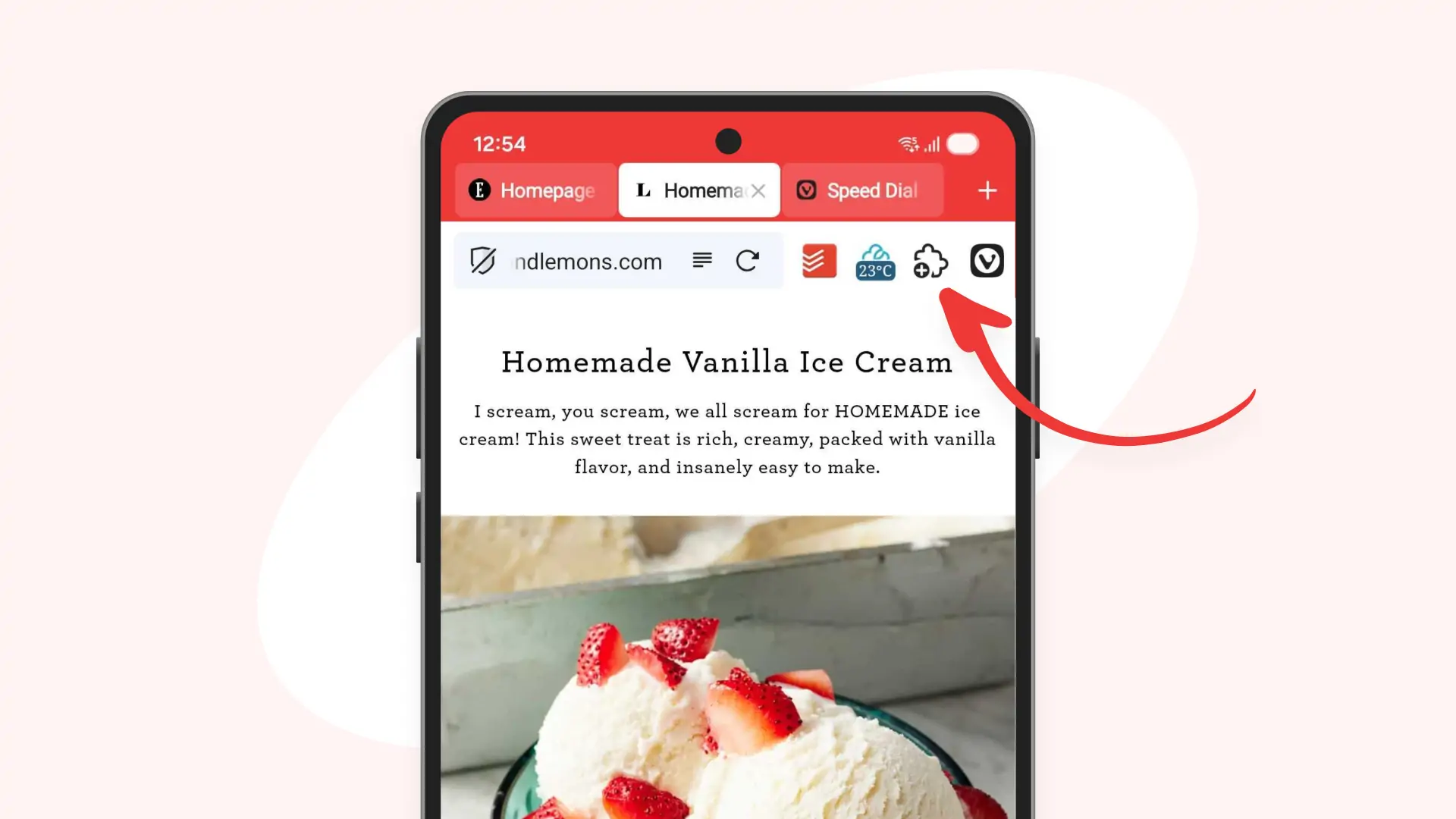
Vivaldi hands their users every tool they need to browse on their own terms. With our latest update, Vivaldi 8.2, we offer even more. Or rather everything, with full extension support on Android, so that our users can shape their mobile browser exactly the way they want it.
Following our desktop release from last week, this update also brings our local Address Bar Calculator to both Android and iOS. One of those details that will make day-to-day browsing a little easier.
Extensions on Android
In the six years after we first launched Vivaldi on Android, our team hasn’t been idle. Release after release we’ve been adding powerful features to help our users browse their way: a built-in Ad & Tracker Blocker, desktop-style Tab Bar, custom search engines, customizable Address Bar, built-in Translator, two-level Tab Stacks…the list goes on and on.
Our goal is to have everything our users need, built in; but we also value user choice. Through the years, many users have expressed their desire to be able to access third-party extensions on their phone, the same way they do on their desktop device. So we got to work.
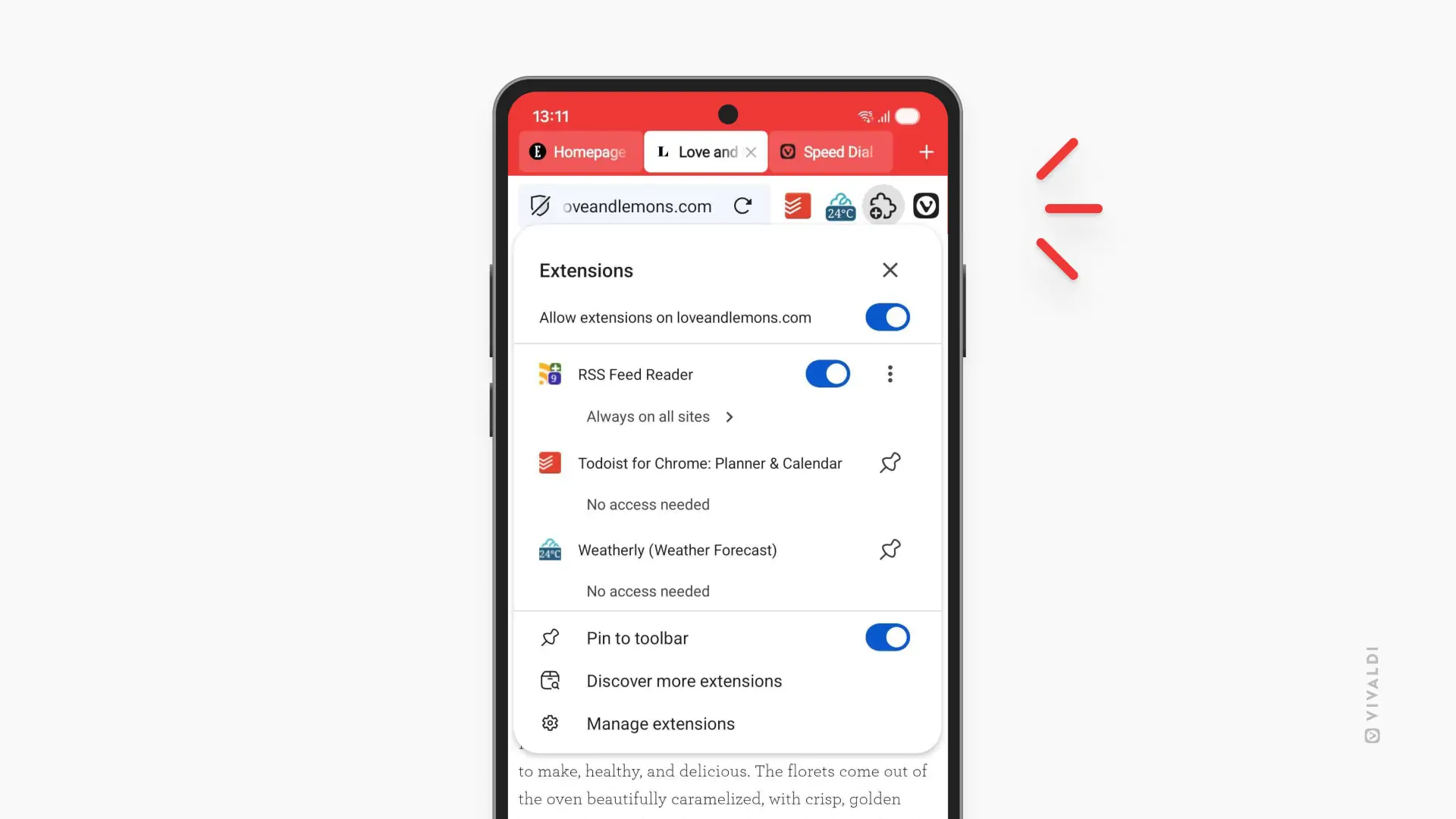
After updating, a new icon will appear on the Address Bar, the puzzle piece many users are well acquainted with. Pressing on it will open a menu that will take you to the Chrome Web Store. And just like that, with two clicks, a world of possibilities will open.
Browse around or type in the name of your favourite desktop extension, and when you’re ready to download, select „Add to Vivaldi“.
We’ve conveniently placed the Extensions icon on your Address Bar, but you can remove it by toggling off the „Pin to toolbar“ setting. If you change your mind, you can easily bring it back by pressing on the Vivaldi icon and then on the „Extensions“ entry. You can also just pin specific extensions to the Address Bar by pressing on the pin icon. Once pinned, they can be reordered by dragging and dropping.
The downloaded extensions will be automatically enabled on all websites you visit, but setting exceptions for specific sites is as easy as toggling off either all or some of your installed extensions for that page.
For users who have a curated list of extensions from Desktop, they’ll now be able to sync their data with any Android devices, whether that’s phones or tablets. Not all desktop extensions will work on mobile, and the extensions themselves are not syncable, so users will need to download them separately on every device they want to use them on.
A new chapter for Vivaldi on Android starts today. Now it’s up to each user to write their own story.
Address Bar Calculator
With Vivaldi 8.2, Android and iOS users can also enjoy a feature that just arrived on Vivaldi on Desktop: a built-in local calculator in the Address Bar.
Like browsing, doing simple calculations is part of our daily lives. Now, these can be done directly from the Address Bar, without having to switch apps or open a new tab. Just type the calculations to see automatic results. Press on the „Copy“ icon, and the results will get copied into the clipboard. Fewer clicks, a smoother browsing experience.
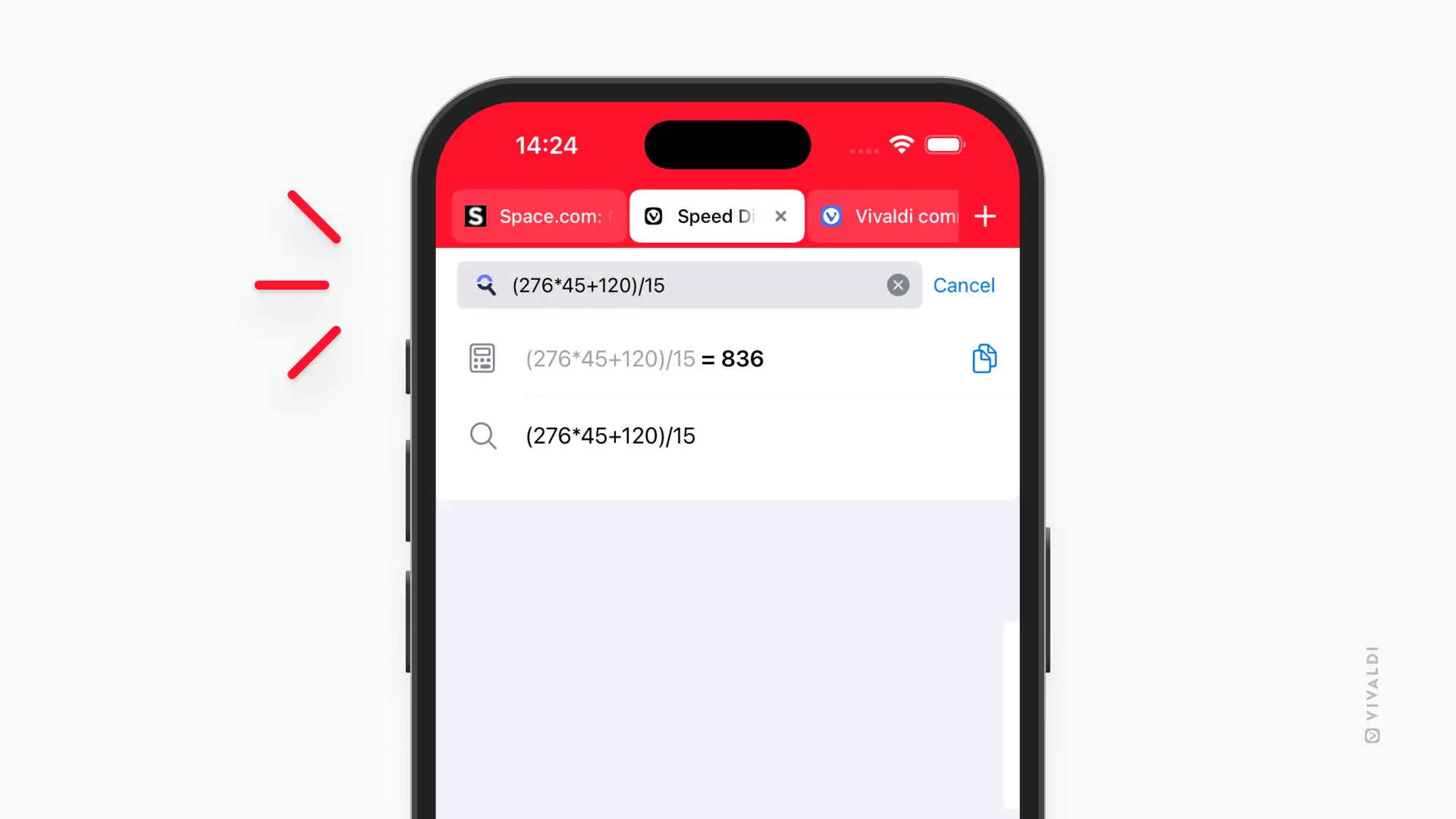
As always, we want our users to choose what’s best for them, so the feature can be disabled from Settings > Address Bar > Address Field Options > Calculator.
Availability
Vivaldi 8.2 for Mobile will be available today, September 9th, for download from both the Play Store and the App Store.




Neueste Kommentare
21. Oktober 2026
21. Oktober 2026
18. Oktober 2026
18. Oktober 2026
18. Oktober 2026
18. Oktober 2026